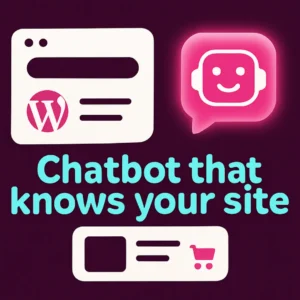
If you run a WordPress site or a WooCommerce store, adding an AI chatbot that actually understands your website content can cut support time, guide shoppers, and capture leads—without bloating your theme or slowing page loads. This article walks through what to expect from a lightweight WordPress AI chatbot, how it differs from bulky alternatives, and practical steps to pick and install a fast, reliable assistant that knows your content.
Why choose a lightweight WordPress AI chatbot?
Not all AI chatbots are equal. A lightweight WordPress AI chatbot focuses on three things: speed, relevance, and minimal server overhead. That means the chat widget loads quickly for visitors, looks and behaves like part of your site, and indexes only the content you want so answers are accurate and traceable.
Speed and performance
Heavy chat plugins can add many scripts, slow first paint, and increase TTFB. A lightweight plugin keeps assets small, defers noncritical scripts, and only calls external AI services when a visitor interacts—so your score on Core Web Vitals stays healthy.
Accurate answers from your site content
The best assistants use a content-aware approach (sometimes called retrieval-augmented generation) so the bot answers from your pages, help docs, and product descriptions rather than guessing from a generic model. That reduces hallucinations and gives visitors links to the exact pages you reference.
Primary decision factors when choosing a plugin
- Content indexing: Can the chatbot index posts, pages, and WooCommerce products, and how often does it refresh?
- On-site privacy and storage: Does the plugin store conversation logs locally or on third-party servers, and does it support GDPR-friendly settings?
- Performance footprint: Asset sizes, deferred loading, and whether the widget is served client-side only when needed.
- Customization & routing: Ability to capture leads, hand off to live chat, or call specific support flows.
- Cost & APIs: Are external model/API fees required, and can you use your own API key?
How to plan a smooth implementation
Follow these steps to add a lightweight AI chatbot to your WordPress site without surprises:
- Inventory content: Identify product pages, knowledge-base articles, FAQs, and policy pages you want the bot to use.
- Choose index scope: For speed and relevancy, index only essential sections (support docs, product descriptions). Avoid indexing dynamic or personal pages.
- Set privacy rules: Configure how conversations are stored and whether transcripts are sent to external services.
- Test staged first: Install on a staging site and try common visitor questions to evaluate accuracy and response time.
- Monitor & improve: Use analytics and chat transcripts to refine answer sources and add clarifying copy where the bot stumbles.
Common plugin features to prioritize
- On-site retrieval: The chatbot should return links to your pages when answering.
- Lightweight widget: Tiny JS payloads and lazy-loading behavior.
- WooCommerce awareness: Product Q&A, SKU-aware recommendations, and quick add-to-cart links.
- Lead capture flows: Optional forms or email capture without forcing heavy CRM integrations.
- Human handoff: A simple path to route complex chats to live agents or support tickets.
Mistakes to avoid
- Indexing everything by default. More data can equal more noise—start small and expand.
- Using the chatbot as the only support channel. It should supplement, not replace, clear contact options and help docs.
- Skipping staged testing. Live customer traffic will surface edge questions you didn’t anticipate.
- Neglecting site speed. If a plugin noticeably slows your site, look for lighter alternatives or configuration tweaks.
Quick examples: how a lightweight bot helps real visitors
- Shopper: Asks “Which running shoe fits wide feet?” The bot scans product descriptions and returns two product pages plus a short comparison and a link to the size guide.
- Prospect: Asks “Do you offer installation?” The bot finds your services page, lists options, and offers to collect contact details for a quote.
- Reader: Asks “Where’s the warranty policy?” The bot links directly to the policy page and highlights the warranty length.
Further reading and resources
For a step-by-step setup walkthrough and plugin options, WPBeginner’s guide on adding a chatbot in WordPress is a practical resource that covers multiple approaches and tools. How to Add a Chatbot in WordPress (WPBeginner).
If you want to explore how a custom chatbot trained on your site content can transform engagement, see our post on Why Your WordPress Website Needs a Custom Chatbot and learn how to revolutionize your WordPress site with custom chatbots.
Conclusion
For most WordPress owners, a lightweight AI chatbot that indexes selected site content delivers the best mix of speed, accuracy, and conversion lift. Start by mapping the content the bot should know, test on staging, and measure how it affects support volume and conversions. If you’d like tailored advice for your site, feel free to contact Emily’s Interiors for a quick consult and practical next steps.
Frequently asked questions
What makes a WordPress AI chatbot ‘lightweight’?
A lightweight chatbot minimizes JavaScript and assets, lazy-loads the widget, and only calls external AI services on interaction. It indexes a focused set of pages rather than ingesting everything on the site.
Will an AI chatbot slow down my WooCommerce store?
Not if you choose a plugin designed for performance. Look for deferred loading, small script sizes, and options to restrict indexing. Test on staging and measure Core Web Vitals before and after installation.
Can the chatbot recommend products from my catalog?
Yes—many plugins support WooCommerce-aware search and can return product pages, SKUs, and add-to-cart links. For best results, ensure product descriptions include the attributes customers ask about (fit, material, warranty).
How does the chatbot find answers from my site?
Most modern solutions use a retrieval layer: they index selected pages into a searchable store, then use that content to ground responses so the bot can cite and link to your pages instead of guessing.
Is visitor data stored externally?
It depends on the plugin. Check privacy settings and choose plugins that allow local storage of transcripts or offer clear options to anonymize data. Always disclose chat logging in your privacy policy where required.
Do I need an API key or paid model to run an accurate chatbot?
Some lightweight plugins let you use your own API key to control costs, while others include hosted model access. Using your own key often gives you more control over spend and privacy.
{“@context”:”https://schema.org”,”@type”:”FAQPage”,”mainEntity”:[{“@type”:”Question”,”name”:”What makes a WordPress AI chatbot ‘lightweight’?”,”acceptedAnswer”:{“@type”:”Answer”,”text”:”A lightweight chatbot minimizes JavaScript and assets, lazy-loads the widget, and only calls external AI services on interaction. It indexes a focused set of pages rather than ingesting everything on the site.”}},{“@type”:”Question”,”name”:”Will an AI chatbot slow down my WooCommerce store?”,”acceptedAnswer”:{“@type”:”Answer”,”text”:”Not if you choose a plugin designed for performance. Look for deferred loading, small script sizes, and options to restrict indexing. Test on staging and measure Core Web Vitals before and after installation.”}},{“@type”:”Question”,”name”:”Can the chatbot recommend products from my catalog?”,”acceptedAnswer”:{“@type”:”Answer”,”text”:”Yes—many plugins support WooCommerce-aware search and can return product pages, SKUs, and add-to-cart links. For best results, ensure product descriptions include the attributes customers ask about (fit, material, warranty).”}},{“@type”:”Question”,”name”:”How does the chatbot find answers from my site?”,”acceptedAnswer”:{“@type”:”Answer”,”text”:”Most modern solutions use a retrieval layer: they index selected pages into a searchable store, then use that content to ground responses so the bot can cite and link to your pages instead of guessing.”}},{“@type”:”Question”,”name”:”Is visitor data stored externally?”,”acceptedAnswer”:{“@type”:”Answer”,”text”:”It depends on the plugin. Check privacy settings and choose plugins that allow local storage of transcripts or offer clear options to anonymize data. Always disclose chat logging in your privacy policy where required.”}},{“@type”:”Question”,”name”:”Do I need an API key or paid model to run an accurate chatbot?”,”acceptedAnswer”:{“@type”:”Answer”,”text”:”Some lightweight plugins let you use your own API key to control costs, while others include hosted model access. Using your own key often gives you more control over spend and privacy.”}}]}
This short tutorial demonstrates a quick plugin install and basic setup flow to help you visualize installation and initial testing steps.
Interested in a tailored setup for your site? Contact Emily’s Interiors for a short consultation and implementation plan.
Frequently Asked Questions
What makes a WordPress AI chatbot ‘lightweight’?
A lightweight chatbot minimizes JavaScript and assets, lazy-loads the widget, and only calls external AI services on interaction. It indexes a focused set of pages rather than ingesting everything on the site.
Will an AI chatbot slow down my WooCommerce store?
Not if you choose a plugin designed for performance. Look for deferred loading, small script sizes, and options to restrict indexing; test on staging before going live.
Can the chatbot recommend products from my catalog?
Yes—plugins that support WooCommerce can return product pages, SKUs, and add-to-cart links when product metadata and descriptions are well structured.
How does the chatbot find answers from my site?
Modern solutions use a retrieval layer that indexes selected pages and pulls those documents into responses so the bot can cite and link to your pages instead of guessing.
Is visitor data stored externally?
It depends on the plugin. Check privacy settings and choose solutions that allow local transcript storage or anonymization, and update your privacy policy accordingly.
Do I need an API key or paid model to run an accurate chatbot?
Some plugins let you use your own API key to control costs and privacy; others bundle hosted model access. Using your own key gives more control over spend and data.