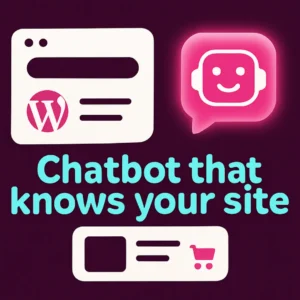
Adding an AI chatbot to WordPress can feel like a big technical lift — but it doesn’t have to be. This article explains how a lightweight, content-trained AI chatbot can improve site search, answer product questions, and act as an automated customer attendant without slowing your site. If your goal is better visitor support and more conversions for a WordPress or WooCommerce site, read on for practical planning steps, plugin considerations, and real-world tradeoffs.
What this article covers
We’ll walk through the core benefits of an AI chatbot for WordPress, when to choose a lightweight plugin, what “trained on your content” means, performance and privacy tradeoffs, and how to measure impact. Practical examples focus on ecommerce (WooCommerce) and content sites so you can apply the advice directly.
Why an AI chatbot for WordPress helps your visitors
An AI chatbot gives visitors a conversational way to find answers, complete tasks, and discover products. Compared with a standard search box, an AI assistant understands questions phrased in natural language — for example, “Which black running shoes ship in two days?” — and can return focused results, product suggestions, or a short answer that links to the right page.
Common business gains
- Faster answers: reduces friction for purchase decisions and support questions.
- Higher conversions: relevant product recommendations and guided flows convert casual visitors more often.
- Lower support load: answers FAQs automatically and hands off complex cases to humans.
Choose a primary approach: hosted AI vs. lightweight on-site plugin
There are two sensible approaches: a full hosted chatbot service that routes queries through an external API, or a lightweight WordPress plugin designed to index your site content and serve answers quickly. Hosted services often offer more features (analytics, multi-channel support) but can add latency and cost. Lightweight plugins prioritize speed, simple setup, and keeping data local where possible.
When to pick a lightweight WordPress AI chatbot
- Your site speed is a priority (shared hosting, tight Core Web Vitals).
- You want simple maintenance and minimal configuration.
- Your knowledge base is your site content (posts, product pages, docs) and you want the chatbot to answer from those pages.
Key features to evaluate in a WordPress AI chatbot
Look for these practical features rather than marketing buzzwords. They’ll determine how useful the chatbot will be for real visitors.
- Content sourcing: Can the bot index pages, posts, and WooCommerce product descriptions so answers are grounded in your site content?
- Lightweight load: Does the plugin avoid heavy front-end bundles and unnecessary third-party scripts?
- Fallbacks & handoff: Can the bot escalate to live chat, collect leads, or hand off to support when it can’t answer?
- Customizability: Are prompts, canned answers, and product recommendation rules editable?
- Privacy controls: How is visitor data handled and retained? Can you avoid sending full conversations to external providers if needed?
How “trained on your content” works in practice
Most WordPress AI chatbots that advertise training on your content use one of two methods: a local index of your site copy or a remote vector index built from your pages. Both approaches extract passages or embeddings from product pages, docs, and posts so the assistant can match a visitor question to the most relevant source and return a concise answer with a link to the original page.
That means answers are more accurate and brand-safe compared with a generic chatbot that only knows public web data. For ecommerce sites, it also allows the assistant to recommend specific SKUs and show current product pages rather than vague suggestions.
Performance and SEO considerations
Integrating an AI chatbot shouldn’t become a drag on your site’s speed. Pick plugins that:
- Load the chat widget asynchronously so initial page rendering isn’t blocked.
- Use a compact front-end bundle and lazy-load heavy components only when the chat opens.
- Allow selective indexing so only relevant pages (product pages, help docs) are included in the index.
Also confirm the plugin doesn’t accidentally expose internal content or create duplicate crawlable pages. If you rely on search engine discoverability, keep your canonical tags and sitemaps intact.
Example decision checklist for a WooCommerce store
- Do you need product-specific answers and recommendations? If yes, require content-trained indexing and SKU-aware responses.
- Is site speed crucial (e.g., high mobile traffic)? If yes, choose a lightweight plugin with asynchronous loading.
- Do you want the chatbot to collect leads or start checkout flows? Ensure it supports forms and secure handoffs to cart pages.
Implementation steps (quick plan)
- Map top visitor intents (product questions, shipping, returns, sizing, contact). Build short answer content on those pages.
- Choose a plugin that indexes your content and supports WooCommerce if needed. Test on a staging site first.
- Configure performance settings: asynchronous widget, selective indexing, and caching of responses where possible.
- Write a small set of friendly canned responses and escalation rules for when the bot should pass to a human.
- Monitor metrics: chat starts, answered rate, conversion lift, and support tickets deflected.
Common mistakes to avoid
- Assuming a chatbot will replace structured product filters — it’s a complement, not a substitute for good search and category UX.
- Indexing everything without pruning — irrelevant pages can produce noisy answers.
- Neglecting privacy: review data retention policies if the plugin uses external AI APIs.
For an approachable walkthrough of options and plugins, see this practical guide to using AI for customer service from WPBeginner.
If you want to understand the strategic benefits of a chatbot trained specifically on your site, check our post on Why Your WordPress Website Needs a Custom Chatbot and the setup-focused guide Revolutionize Your WordPress Site with Custom Chatbots.
Measuring success
Track simple KPIs after launch: number of chats, proportion of chats answered automatically, conversion rate for users who interact with the chat, and ticket reduction for common issues. Small tests — enable chat on product pages only for two weeks — give meaningful signals without widespread risk.
Conclusion
A lightweight AI chatbot that’s trained on your WordPress content can speed up answers, improve product discovery, and reduce support load — all while keeping your site fast. Prioritize content indexing, asynchronous loading, and clear escalation rules. If you want a fast, focused assistant that knows your site and helps convert visitors, a lightweight plugin is often the best first step.
Get help planning your chatbot
If you’d like support choosing the right plugin or building a selective content index for your store, feel free to contact Emily’s Interiors for a short planning call — we’ll help map intents and pick a setup that matches your hosting and conversion goals.
Frequently asked questions
1. Will adding an AI chatbot slow my WordPress site?
A well-built plugin loads the widget asynchronously and keeps the main bundle small so page load is unaffected until a visitor opens the chat. Choose plugins that let you lazy-load heavy components and selectively index pages to avoid extra server load.
2. Can a chatbot answer questions about my WooCommerce products?
Yes. Plugins that index product pages and read SKU or attribute fields can answer product-specific questions and suggest relevant items. Make sure the chatbot syncs with current product status (stock, price) to avoid outdated suggestions.
3. Is my site content safe when using an AI chatbot?
It depends on the plugin. Some solutions keep indexing and matching on-site, while others send content to external vector stores or APIs. Review privacy and data retention settings and opt for on-site or privacy-focused options if you handle sensitive data.
4. How much setup does a content-trained chatbot need?
Basic setups can index pages automatically and be useful within hours. For best results, map top visitor intents, prune irrelevant pages from the index, and add a handful of custom canned answers and escalation rules.
5. Will a chatbot replace my site search?
Not entirely. A conversational assistant complements search by handling natural-language questions and guided flows, while a traditional search box remains useful for quick keyword or category lookups. Consider offering both.
6. What metrics show an AI chatbot is working?
Key metrics include chat engagement rate, answered rate (how often the bot resolves queries), conversion lift for visitors using chat, and reduction in frequently asked support tickets. Run short A/B tests to measure impact reliably.
This short WPBeginner video compares widely used chatbot options and helps you evaluate tradeoffs when selecting a plugin.
If you’d like hands-on help picking a fast, content-trained chatbot for your WordPress or WooCommerce site, contact Emily’s Interiors for a brief planning call.
Frequently Asked Questions
Will adding an AI chatbot slow my WordPress site?
A well-built plugin loads the chat widget asynchronously and uses a small front-end bundle, so page load is usually unaffected until a visitor opens the chat. Choose plugins with lazy-loading and selective indexing to minimize impact.
Can a chatbot answer WooCommerce product questions?
Yes. Chatbots that index product pages and read SKU or attribute data can answer product-specific queries and recommend items, but ensure the plugin syncs stock and price info to avoid outdated suggestions.
Is my site content safe with an AI chatbot?
It depends on the solution. Some plugins keep indexing and matching on-site, while others use external APIs. Review the plugin’s privacy and data retention policies and choose on-site or privacy-conscious options if needed.
How much time does setup usually take?
Basic setups can be useful within a few hours, but best results come from mapping top intents, pruning irrelevant pages, and adding custom canned replies — a small project that often takes a day or two.
Should I keep a traditional search box if I add a chatbot?
Yes. A chatbot complements traditional search by handling natural-language questions and guided flows, while a keyword search remains efficient for quick lookups and category filtering.
What KPIs indicate the chatbot is effective?
Track chat engagement, answered-rate (auto-resolved queries), conversion uplift for chat users, and reduction in repetitive support tickets. Short A/B tests help measure impact reliably.