Why a WordPress AI chatbot is worth adding today
If your WordPress site publishes helpful content, sells products, or fields frequent support requests, an AI chatbot can act as a 24/7 auto-attendant that answers visitor questions, guides shoppers, and surface relevant pages or products. This article covers how to choose an AI chatbot for WordPress that is lightweight, fast, and — most importantly — trained on your own website content so answers point visitors to real pages and products.
Primary decision: chatbot that knows your site vs. a generic assistant
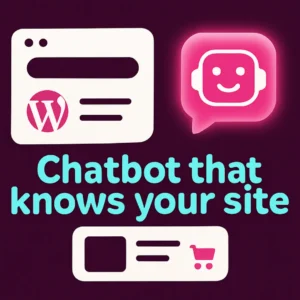
Many off-the-shelf chat widgets use a general-purpose language model and give generic answers. Those can sound plausible but often lack links to your pages or product recommendations. For WordPress sites the most useful chatbots are content-aware: they index posts, pages, and product descriptions so they answer with specific help and links back to your site. If you want fewer support tickets and more conversions, prioritize a chatbot that reads and references your WordPress content.
What to expect from a lightweight WordPress AI chatbot
- Small footprint: the plugin doesn’t add dozens of unused scripts or slow theme rendering.
- Fast query routing: searches or chat answers return quickly (sub-second or a few hundred milliseconds is ideal for UX).
- Content indexing: the bot crawls or accepts uploads of your site content (posts, pages, and WooCommerce product data).
- Relevant linking: replies include links to specific pages, product cards, or support articles.
- Privacy controls: you control which areas of the site are indexed and how conversational logs are stored.
How semantic search and embeddings improve answers
Traditional keyword search looks for literal matches. Modern chat assistants use semantic search (vector embeddings) to find content that matches meaning, not just keywords. That means a user can ask conversational questions like “Which chair fits a small apartment?” and the bot finds relevant product pages even if the product descriptions don’t use the same wording. For a clear primer on how semantic search works, see Google Cloud’s explanation of semantic search. (What is semantic search?)
Checklist: choosing a practical WordPress AI chatbot
- Does it index your content? If it can’t crawl or import your posts and products, its answers will be generic.
- Performance impact: evaluate plugin size, front-end scripts, and whether heavy work runs off-site.
- Control over training scope: you should be able to exclude pages (private docs, staging) and include product metadata.
- Linking and call-to-action support: the bot should be able to insert links, product cards, and suggested CTAs.
- Analytics and transcripts: conversation logs and search terms help tune content and FAQ pages.
- Compatibility with WooCommerce: product-aware responses are essential if you sell online.
Lightweight vs. full-featured: avoid common trade-offs
Full-featured platforms may offer omnichannel support, CRM connectors, and complex automation. Those are powerful but often come with higher costs and heavier performance impacts. Lightweight plugins focus on speed and accurate site-focused answers — a good match for small-to-medium WordPress sites that prioritize conversions and low maintenance.
Performance testing: simple steps before you install
- Run a quick plugin audit: check bundle size and number of external scripts the chat plugin enqueues.
- Install on a staging site and measure page-load before and after activation.
- Test response latency from different locations (or ask the vendor to provide typical query times).
Examples of useful chatbot behaviors for WordPress and WooCommerce
- Answer product questions with links to specific SKU pages or variations.
- Recommend blog posts or tutorials when visitors ask how-to questions.
- Collect qualified leads with short pre-chat forms or by asking qualifying questions.
- Trigger cart-recovery prompts when a shopper asks about shipping or sizing but leaves without buying.
Integration and content strategy: make the bot better over time
Indexing alone isn’t enough. Use the chatbot’s analytics to see what visitors ask and expand or clarify content where the bot struggles. Publish short FAQ pages for repeated conversational queries and add product attributes (materials, dimensions, fit notes) to improve retrieval quality. For a broader look at how a site-specific chatbot can change visitor engagement, see our post on why you need a custom chatbot trained on your WordPress content. Why you need a custom chatbot trained on your WordPress content
When to choose a WordPress-native, no-API approach
If you prefer predictable costs, minimal configuration, and a WordPress-native experience (no external API keys to manage), pick a plugin that bundles indexing and inference or uses a managed backend designed specifically for WordPress. That reduces surprises for non-technical site owners and keeps the focus on accurate, site-centered answers.
Quick start plan for adding an AI chatbot to WordPress
- Define the bot’s role: customer support, product finder, or knowledge base assistant.
- Decide which content to index (help center, blog, product catalog).
- Test a lightweight plugin on staging; measure load and response times.
- Train or tune the bot with example Q&A and block unwanted pages.
- Deploy and monitor: review transcripts weekly, update content, and add CTAs where conversions are highest.
Further reading and setup help
For a guided walkthrough on turning your WordPress site into a chat-ready knowledge base and a quick install demo, check our step-by-step guide to revolutionizing your WordPress site with a custom chatbot. Revolutionize Your WordPress Site with Custom Chatbots
Conclusion
Choose an AI chatbot for WordPress that is content-aware, lightweight, and fast. Prioritize solutions that index your posts and products, return links to specific pages, and keep performance impact low. Start small on staging, monitor real conversation data, and iteratively improve both the bot and your content. If you want help deciding which approach fits your site, feel free to contact Emily’s Interiors for a consultation.
FAQ
1. Will a chatbot slow down my WordPress site?
A lightweight chatbot designed for WordPress minimizes front-end scripts and runs heavy work off-site or asynchronously; still, always test on staging and measure page-load before and after activation.
2. Can a chatbot recommend WooCommerce products?
Yes — choose a plugin that indexes product titles, attributes, and SKUs so it can match a visitor’s question to the correct product pages and variants.
3. How does a chatbot learn my site content?
Most plugins either crawl your public pages or let you upload content (PDFs, FAQs, product CSV). The indexing process converts pages into searchable data the chatbot uses to answer queries.
4. Is semantic search necessary for good answers?
Semantic search is not required but significantly improves relevance for conversational queries by matching meaning rather than exact words, which makes interactions feel natural and accurate.
5. What privacy concerns should I consider?
Decide whether conversation logs are stored, how long they’re retained, and whether PII is scrubbed. Choose a vendor with clear data handling policies and the ability to exclude or redact sensitive content.
6. How do I measure ROI from a chatbot?
Track metrics like reduced support ticket volume, conversion lift from bot-assisted sessions, average time-to-answer, and qualifying leads captured. Compare those against setup and subscription costs to evaluate ROI.
Recommended video
Below is a concise explainer of semantic search from Google Cloud Tech that helps non-technical site owners understand why meaning-based retrieval matters for chatbots.
If you’d like help picking or implementing a content-aware chatbot for WordPress or WooCommerce, contact Emily’s Interiors for a short consultation.
Frequently Asked Questions
Will a chatbot slow down my WordPress site?
A well-designed, lightweight chatbot minimizes front-end scripts and runs heavy processing off-site; always test on staging to measure any impact before deploying to production.
Can a chatbot recommend WooCommerce products?
Yes. Pick a plugin that indexes product titles, attributes, and SKUs so it can match conversational queries to specific product pages and variants.
How does a chatbot learn my site content?
Plugins either crawl public pages or let you upload content (PDFs, FAQs, product CSV). The bot indexes that content into searchable data used to craft answers with links.
Is semantic search necessary for good answers?
Not strictly, but semantic search (embeddings) significantly improves relevance for natural language questions by matching meaning rather than exact words.
What privacy and data controls should I look for?
Ensure the vendor provides retention controls, PII redaction options, and clear policies on conversation storage and export so you can meet privacy requirements.
How do I measure chatbot ROI?
Track reduced support tickets, conversion lift from bot-assisted sessions, leads captured, and average time-to-answer, then compare those gains to your setup and subscription costs.