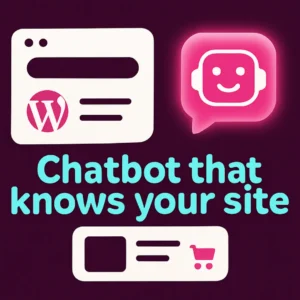
Adding an AI chatbot to a WordPress site used to mean complicated setup, slow performance, and answers that didn’t reflect your actual content. A lightweight WordPress AI chatbot changes that: it indexes your pages and products, answers visitor questions in plain language, and runs without bogging down site speed. This guide explains when a lightweight chatbot is the right choice, how it delivers better search and support for WordPress and WooCommerce, and what to evaluate before you install one.
Why choose a lightweight WordPress AI chatbot?
Lightweight chatbots focus on three things: accuracy, speed, and minimal overhead. Instead of proxying every query through external APIs the site owner manages, these plugins typically run a managed model or efficient server-side indexing that directly references your posts, pages, and product descriptions. The result is answers that cite your site content, a smaller performance footprint, and an easier setup for busy site owners.
How a WordPress AI chatbot improves site search and conversion
A good chatbot acts as conversational site search and a 24/7 auto-attendant. Visitors can ask natural questions—”Does this jacket come in blue?” or “Do you offer custom measurements?”—and get direct answers that point to product pages, policies, or contact options. For WooCommerce stores, that conversational product discovery increases findability and reduces abandoned sessions by speeding up product discovery and checkout paths.
Key benefits at a glance
- Faster answers than digging through menus or search results.
- Contextual replies that reflect your site’s exact content and links.
- Automated lead capture and routing to human agents when needed.
- Lower support load and fewer repeat questions for common requests.
Which site owners should pick a lightweight AI chatbot?
Consider a lightweight chatbot if you run a content-driven site, a small-to-medium WooCommerce store, or an agency-maintained WordPress site where performance and simplicity matter. Lightweight solutions suit teams that want accurate, content-aware answers without a long technical onboarding, and those worried about page speed or heavy plugin bloat.
What to check before installing an AI chatbot plugin
- Content indexing: Verify the plugin can index pages, posts, and product descriptions so answers reference living site content rather than generic text.
- WooCommerce support: If you sell products, ensure the chatbot can surface product cards, SKU or availability info, and link to product pages.
- Performance impact: Look for plugins designed to be lightweight on the front end and that offload heavier work to a remote service or efficient server process.
- Privacy and hosting model: Decide whether you want a managed model (hosted) or a self-hosted approach; each has trade-offs in cost, maintenance, and control.
- Lead capture and routing: Confirm the chatbot can collect emails, create tickets, or hand off to live agents when needed.
Common mistakes when adding a WordPress chatbot
New adopters often make predictable mistakes that hurt results:
- Installing a generic AI widget that isn’t trained on site content—responses become vague and frustrating.
- Neglecting product metadata—without clear product titles, SKUs, or categories the chatbot can’t recommend items reliably.
- Adding heavy plugins that duplicate functionality and slow the site. Lightweight alternatives prioritize a fast widget and limited admin overhead.
Comparing lightweight chatbots to full-featured support platforms
Full-featured platforms can be powerful (deep CRM integration, omnichannel messaging, advanced automation), but they may be overkill for many WordPress owners. Lightweight chatbots offer:
- Faster setup and simpler UI for admins.
- Lower ongoing cost and fewer moving parts to manage.
- Tighter alignment with your actual site content, which improves answer relevance.
If you need enterprise-grade routing, multi-agent dashboards, or heavy analytics, consider pairing a lightweight chatbot with a separate support platform rather than replacing one with the other.
Quick implementation checklist
- Back up your site and test on a staging environment.
- Confirm WordPress and WooCommerce compatibility.
- Index your content and verify product mapping.
- Test common buyer queries and policy questions to tune responses.
- Set up lead capture flows and notification routing to your team.
For practical setup tips and a deeper look at training a chatbot on your WordPress content, see our walk-through post on how to revolutionize your WordPress site with custom chatbots and the post explaining why you need a custom chatbot trained on your WordPress content.
For background on semantic search techniques that make natural-language site search possible, see this overview of semantic search research (useful for understanding how meaning-aware retrieval improves results). Semantic search research on arXiv.
Real examples of how a lightweight chatbot helps WooCommerce
A product finder flow can let shoppers describe features in plain English—”athletic shoes for wide feet with under-100USD price”—and receive a short list of matching products with links. Chatbots can also surface shipping rules, returns policy excerpts, and upsell suggestions without forcing the visitor through multiple pages.
Measuring success: KPIs that matter
- Answer precision (percentage of user questions resolved without human help).
- Conversion lift from chatbot-assisted sessions versus baseline sessions.
- Average time to answer and page speed impact.
- Number of leads or messages routed to sales from chat interactions.
Conclusion
A lightweight AI chatbot for WordPress can deliver faster, more accurate help that reflects your actual site content while keeping overhead low. For most small businesses and WooCommerce stores, the right lightweight plugin becomes both a conversational search tool and a practical conversion assistant—helping customers find products quickly and freeing your team to handle more complex requests. If you’re curious about adding a simple, fast chatbot that reads your site content, our guides linked above walk through real setup steps and tuning advice.
Frequently asked questions
How does a chatbot use my WordPress content to answer questions?
Lightweight chatbots index your posts, pages, and product descriptions into a searchable knowledge layer. When a visitor asks a question, the bot retrieves the most relevant passages and formulates an answer that points to your URLs or product pages.
Will an AI chatbot slow down my WordPress site?
Not if you choose a lightweight plugin. These solutions minimize front-end JavaScript and run heavier processing on a remote service or efficient server process, keeping load times fast. Always test on staging and measure page speed before and after installation.
Can a chatbot handle WooCommerce product questions and recommendations?
Yes—many plugins map product metadata and can return product cards, availability, and SKU links. Make sure the plugin explicitly supports WooCommerce product indexing and recommendation flows.
Is visitor data sent to third parties?
Data handling depends on the plugin. Some managed chatbots process queries on their servers; others offer self-hosted options. Review privacy docs and opt for configurations that meet your compliance needs.
How do I measure whether the chatbot improves conversions?
Track chatbot-assisted sessions, conversion rate for those sessions, and compare average order value and time-to-purchase against baseline traffic. Many plugins provide basic analytics or integrate with your existing analytics platform for measurement.
What’s the easiest way to start testing a chatbot?
Install a lightweight plugin on a staging site, index a subset of your pages or products, and run a small set of real-world queries. Tune responses and lead-capture flows before moving the bot to production.
This video offers a practical walkthrough for building and configuring a WordPress AI chatbot and is useful for seeing setup and common options in action.
If you want hands-on help adding a lightweight, content-aware chatbot to your WordPress site, contact Emily’s Interiors and we’ll discuss which setup best matches your goals.
Frequently Asked Questions
How does a chatbot use my WordPress content to answer questions?
Lightweight chatbots index your posts, pages, and product descriptions into a searchable knowledge layer and pull the most relevant passages to form answers that link back to your site.
Will an AI chatbot slow down my WordPress site?
Not usually—choose a plugin that minimizes front-end scripts and offloads heavier processing; test on staging and measure page speed before and after installation.
Can a chatbot handle WooCommerce product questions and recommendations?
Yes—many plugins map product metadata and can return product cards, availability, and links to product pages when configured correctly.
Is visitor data sent to third parties?
Data handling varies by plugin. Managed services process queries on their servers while some plugins offer self-hosted options. Review privacy and data policies before enabling the bot.
How do I measure whether the chatbot improves conversions?
Track chatbot-assisted sessions, conversion rates for those sessions, average order value, and compare those metrics to baseline traffic; integrate with your analytics platform if possible.
What’s the easiest way to start testing a chatbot?
Install the plugin on a staging site, index a subset of pages or products, run real customer queries, tune responses, and only push to production once results are satisfactory.