If you want visitors to find answers faster, reduce support load, and boost conversions without slowing your site, a lightweight AI chatbot for WordPress is one of the highest-impact tools you can add. This article explains how an AI chatbot trained on your WordPress content works, how to choose a plugin that won’t bloat your site, and step-by-step considerations to deploy a fast, accurate site assistant—whether you run a content site, business website, or WooCommerce store.
What a WordPress AI chatbot actually does
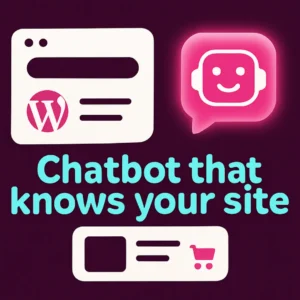
A WordPress AI chatbot is a conversational widget on your site that answers visitor questions in natural language. A good chatbot can: summarize pages, answer product questions, find relevant posts, guide buyers to the right product, and capture leads. When the chatbot is trained on your site content it can respond with specific, on-site information instead of vague generic answers.
Why choose a lightweight WordPress chatbot plugin
Many site owners are wary of chat features because traditional live chat widgets and heavy plugins can slow page load, increase hosting costs, and complicate maintenance. A lightweight WordPress chatbot plugin focuses on:
- Small footprint: minimal scripts loaded only when needed.
- Fast response: optimized API calls and caching for near-instant replies.
- Content awareness: trained on your posts, pages, and product catalog rather than generic web data.
- Conversion features: lead capture, product recommendations, and call-to-action buttons.
Primary decision factors when picking a plugin
Match the plugin to your site’s needs by prioritizing these factors:
- Performance: check how the plugin loads assets (deferred loading, selective scripts) and whether it offers server-side or edge caching.
- Content training: does it index your WordPress posts, pages, and WooCommerce product data so answers are about your site?
- Privacy & hosting: where is user data processed—on your server, a managed cloud, or a third-party API? Make sure it matches your privacy policy and hosting constraints.
- Customization: can you control UI, CTAs, and conversation flows to align with your brand and conversion goals?
- Costs: consider monthly API usage, model calls, and whether the plugin’s free tier is usable for your traffic.
How AI chatbots find answers on your WordPress site
Modern chatbots use a two-part approach: first they convert content into searchable embeddings (vectors) that capture meaning rather than exact keywords; then they retrieve the most relevant passages and compose an answer. This semantic approach helps the bot understand synonyms and conversational queries—so a visitor can ask “Which chair fits a small apartment?” and get product suggestions even if that exact phrase doesn’t appear on your site. For more background on semantic search concepts, see this IEEE overview of semantic search techniques and modern embedding-based retrieval (semantic search overview).
Practical deployment checklist
Follow this checklist to add a lightweight AI chatbot without surprises:
- Inventory content: decide which content the bot should index—posts, FAQs, product descriptions, policy pages.
- Choose the integration type: plugin vs. external widget. Plugins that train on WordPress content are easiest for site-aware answers.
- Test performance: install on a staging site and measure page load with and without the chatbot active. Aim for deferred loading and a widget that initializes after critical content loads.
- Train and tune: index your content, write a few example Q&A pairs, and set fallback behavior for unknown questions (e.g., offer search, contact form, or escalate to human support).
- Monitor and refine: review analytics for common queries, low-confidence responses, and conversion metrics. Iteratively add clarifying content and refine indexing scope.
How a chatbot helps WooCommerce stores
For WooCommerce, an AI chatbot trained on product data can significantly improve product discovery and conversions. Useful features include:
- Natural language product search (e.g., “I want an eco-friendly running shoe under $120”).
- Product recommendation flows using attributes like size, color, and use case.
- Order status lookups and quick answers about shipping, returns, and sizing guides.
When choosing a WooCommerce-ready chatbot, confirm it indexes SKU, attributes, and taxonomy fields so recommendations are precise and context-aware.
Common mistakes to avoid
- Indexing everything: not all pages should be indexed—exclude admin pages, staging content, or broken drafts to keep answers relevant.
- Overloading visitors: don’t show a giant chat overlay on every page; consider a subtle launcher and smart triggers (time on page, scroll depth, or intent signals).
- Ignoring analytics: the chatbot’s value comes from how it improves conversions and support metrics—track those numbers.
- Choosing a heavy tool by default: prioritize lightweight plugins that offer content-aware answers without adding large client-side bundles.
Examples of smart use-cases
Realistic, practical ways to use an AI chatbot on a WordPress site:
- Support auto-attendant: route billing, returns, and technical questions to the right help article or contact form.
- Product finder: short conversational flow that narrows options and links to product pages.
- Lead qualification: capture intent and important contact details before handing off to sales.
- On-site knowledge base: let users ask natural questions and receive concise summaries of long help articles.
Planning for privacy, scale, and cost
Be transparent about how visitor queries are handled and what data is stored. For high-traffic sites, choose a plugin or plan that supports batching, caching of vector searches, or on-premises hosting options to control costs and latency.
Want a compact, site-aware chatbot that improves conversions?
If you’d like a practical next step, read how to make a custom chatbot trained on your WordPress content for visitor-facing answers in our guide Why You Need a Custom Chatbot Trained on Your WordPress Content. To see broader possibilities for custom conversational experiences, review our post on Revolutionize Your WordPress Site with Custom Chatbots.
Visible FAQ
How quickly can I add an AI chatbot to WordPress?
With a plugin designed for WordPress, you can install and connect a chatbot in under an hour for basic setups. Indexing content and tuning responses will take additional time—plan a few days to get confident, site-aware answers.
Will a chatbot slow down my site?
Not if you choose a lightweight plugin that defers scripts, uses selective loading, and employs caching. Measure performance on a staging site before deploying live.
Can a chatbot access my WooCommerce product data?
Yes—many AI chat plugins can index WooCommerce product titles, descriptions, SKUs, and attributes so the bot can recommend products and answer inventory or sizing questions.
Is visitor data sent offsite?
That depends on the plugin. Some vendors process queries in their cloud, while others offer on-site or private cloud options. Check the vendor’s privacy documentation and your legal requirements before enabling sensitive flows.
How do I measure chatbot success?
Track metrics like reduced support tickets, chat-to-sale conversion rate, average time to answer, and sessions where the bot escalates to a human. Use those signals to refine content and prompts.
Can the chatbot handle complex or technical questions?
Chatbots trained on your site content can accurately answer many technical queries if those answers exist in indexed pages. For novel or risky queries, set clear fallbacks—link to documentation or offer an option to contact support.
Watch a short walkthrough:
Ready to add a fast, site-aware AI assistant that helps visitors and lifts conversions? Contact Emily’s Interiors for a friendly, site-specific consultation and implementation plan.
Frequently Asked Questions
How quickly can I add an AI chatbot to WordPress?
With a WordPress-focused plugin you can install and connect basic chatbot functionality in under an hour; expect a few days to index content, tune answers, and test performance.
Will a chatbot slow down my WordPress site?
Not if you pick a lightweight plugin that defers loading, loads scripts selectively, and uses caching. Test on a staging site to measure real impact.
Can an AI chatbot use my WooCommerce product catalog?
Yes. Many plugins index product titles, descriptions, SKUs, and attributes so the chatbot can recommend items and answer inventory or sizing questions.
Is user query data processed offsite?
It depends on the vendor. Some providers process queries in their cloud while others offer on-site or private-cloud options—review privacy docs before enabling sensitive features.
What metrics show a chatbot is working?
Track reduced support tickets, chat-to-order conversion rate, average response time, and how often the bot escalates to a human agent to measure impact.
How do chatbots understand natural-language product questions?
They use semantic search (embeddings + retrieval) to match meaning rather than exact keywords, allowing the bot to find relevant product or help content even if the phrasing differs.